See OneLink live with our team — free, 30 minutes.
Pick a time that suits you. We show you OneLink RADIUS on real screens, answer your questions and suggest the right setup for your ISP. The Google Meet link comes to your WhatsApp.
Take a quick look at the screens.
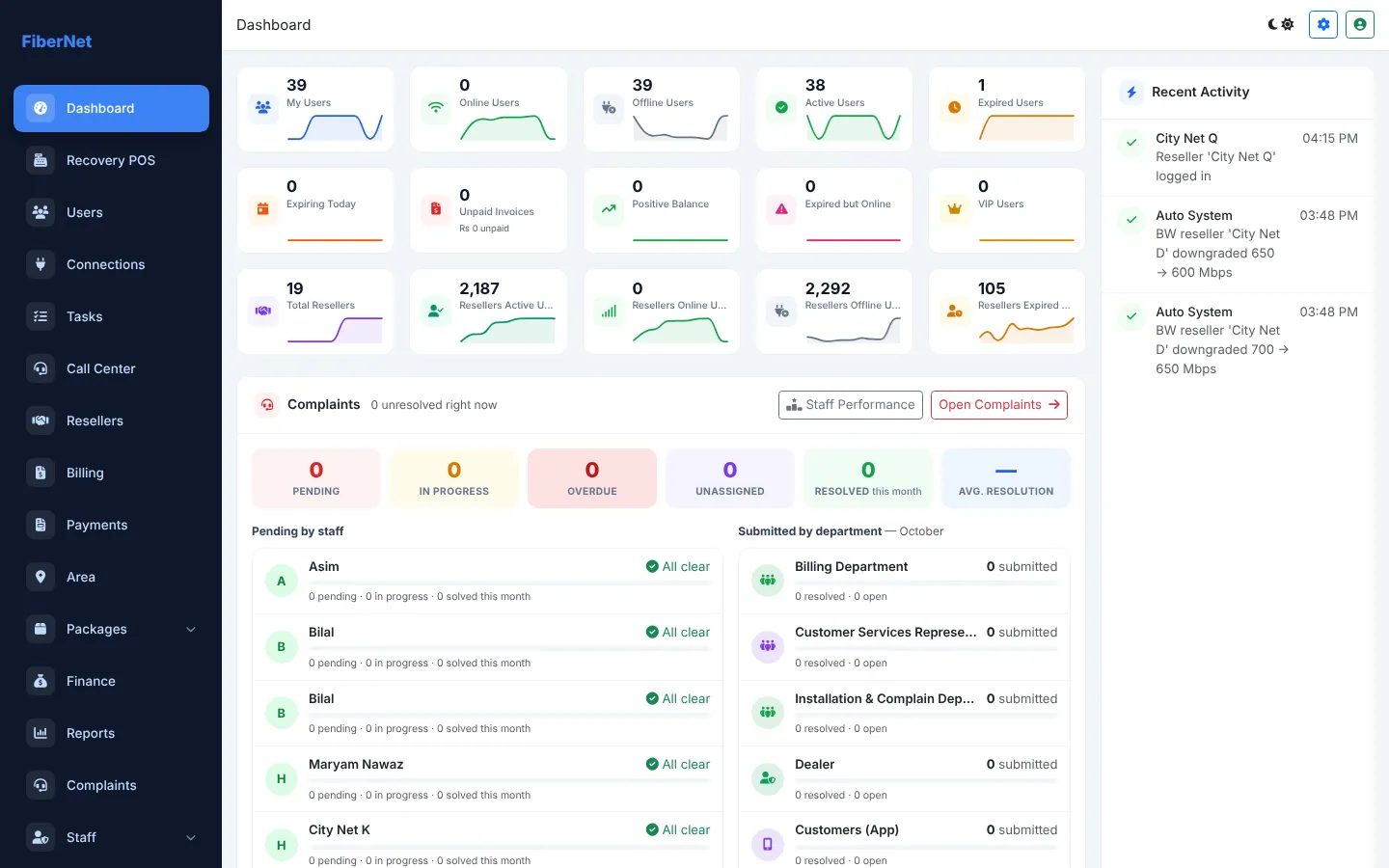
Your whole ISP on one screen
Online and offline users, expiring today, unpaid invoices, resellers and complaints by staff — the moment you log in.
- Live counters with 7-day trends
- Recent activity of your team and resellers
- Complaints pending per staff member
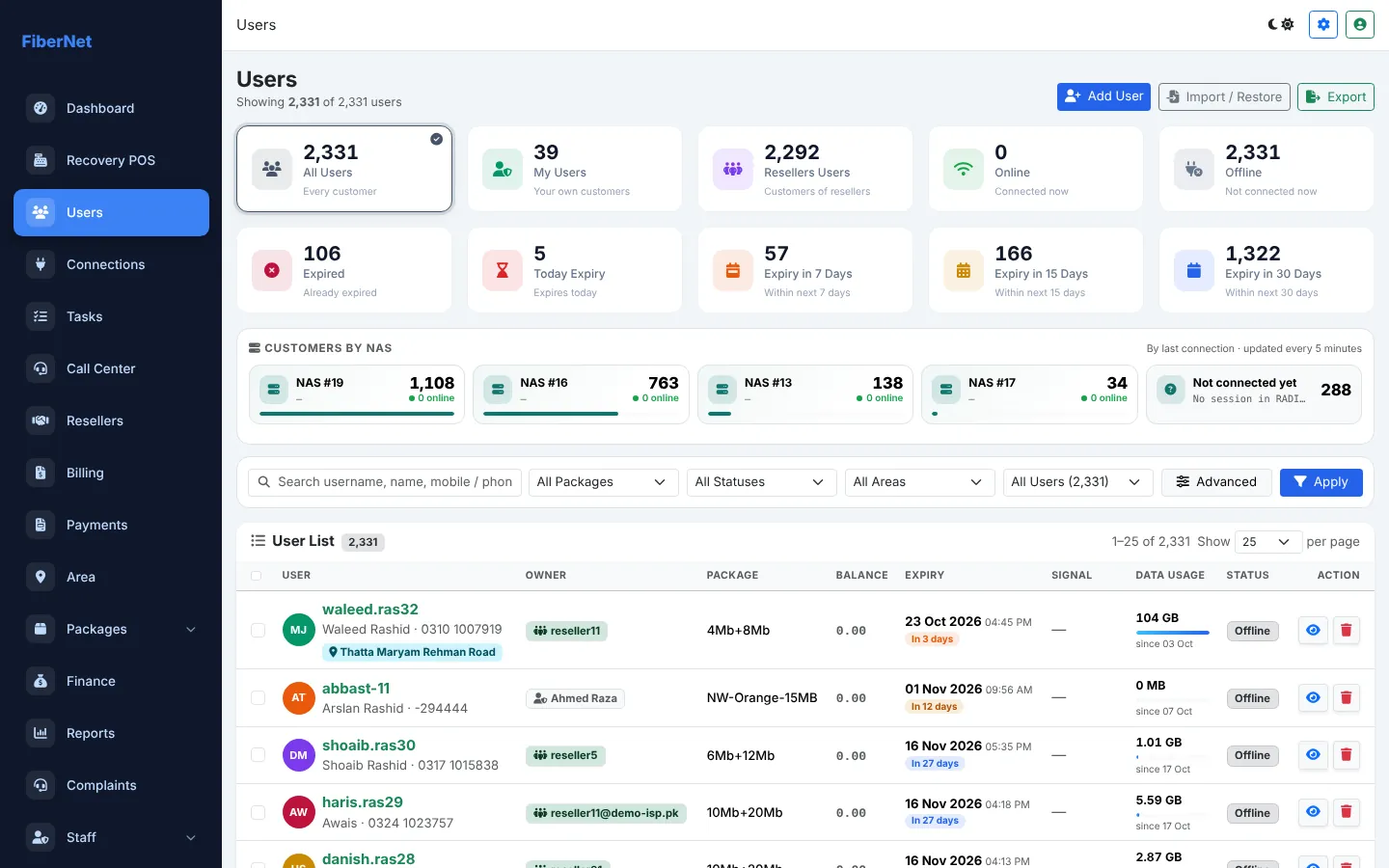
Every PPPoE user, properly organised
Package, expiry, balance, data usage, owner and live status for thousands of users — filter by NAS, area, package or reseller.
- Expiring today / 7 / 15 / 30 days at a glance
- Customers by NAS with online counts
- Bulk actions, import & export
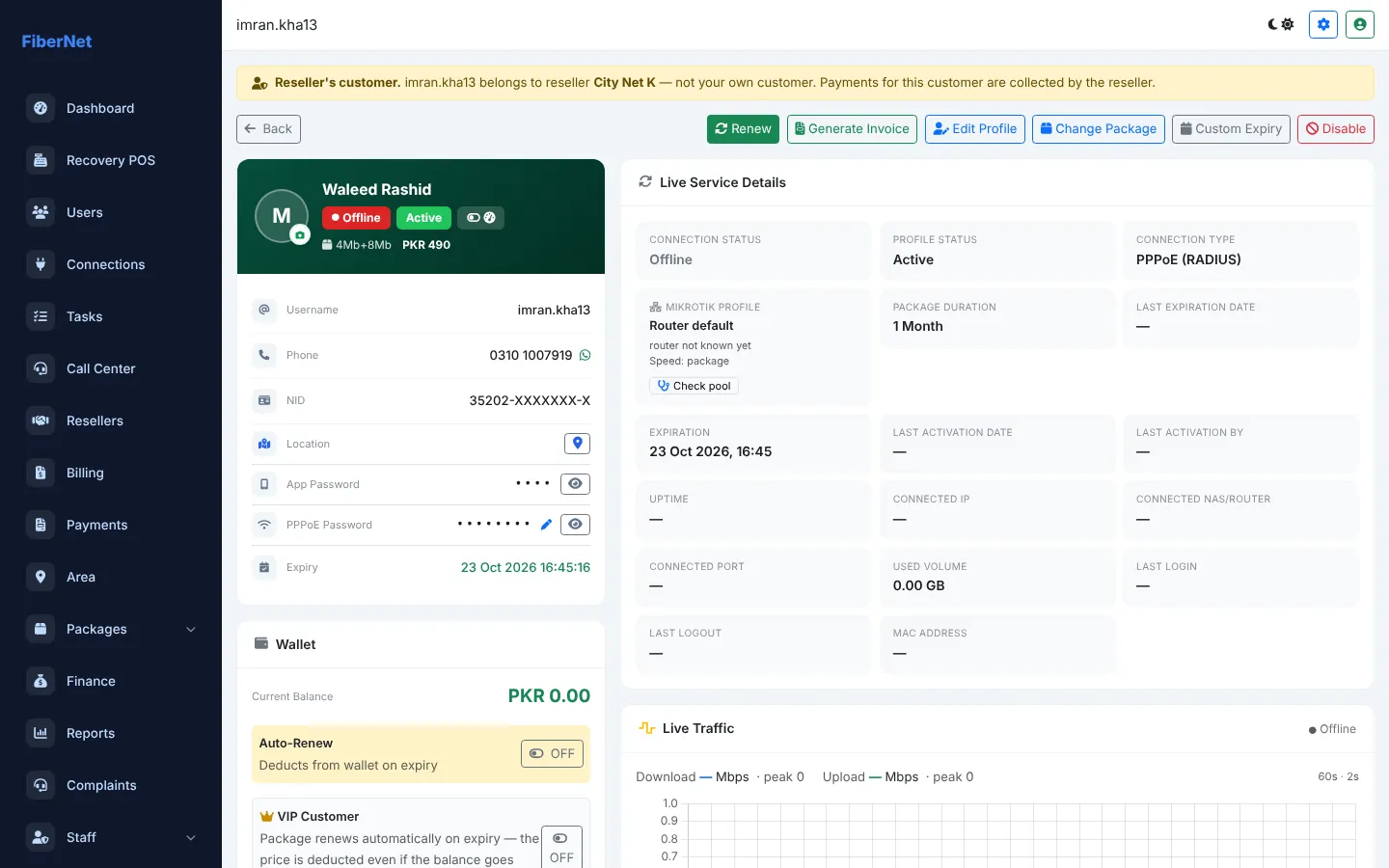
One page for everything about a customer
Renew, change package, generate invoice, wallet, auto-renew, VIP, MAC lock, live traffic and connection details.
- Live service details from RADIUS & Mikrotik
- Wallet, invoices and payment history
- ONU signal & Wi-Fi from the OLT / ACS
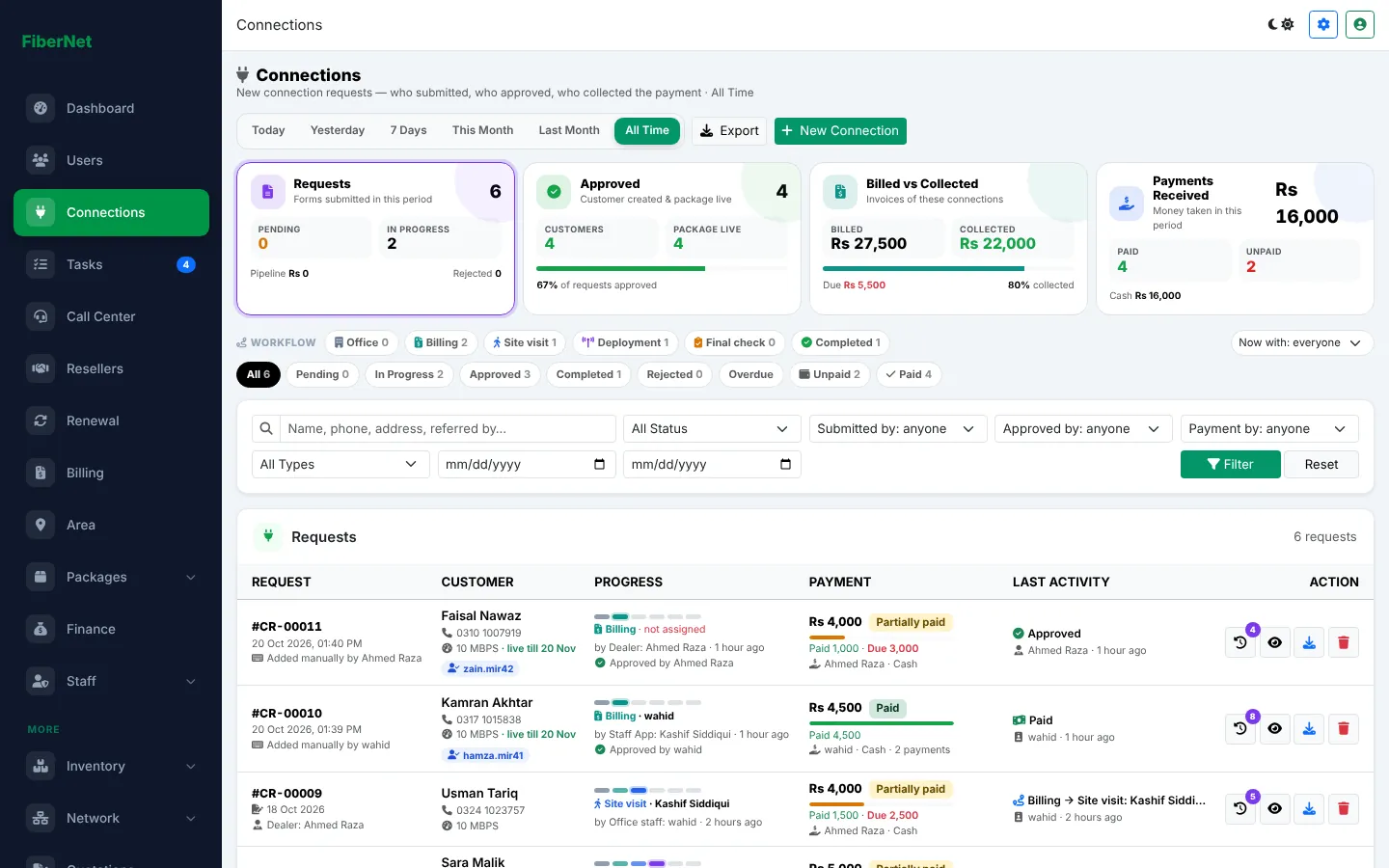
From form to installation — every step tracked
Office → Billing → Site visit → Deployment → Final check. See who has each request, what was paid and what is still due.
- Paper form date, payment taken on the spot
- Extra fiber added to the same invoice
- Customer tracking link on WhatsApp
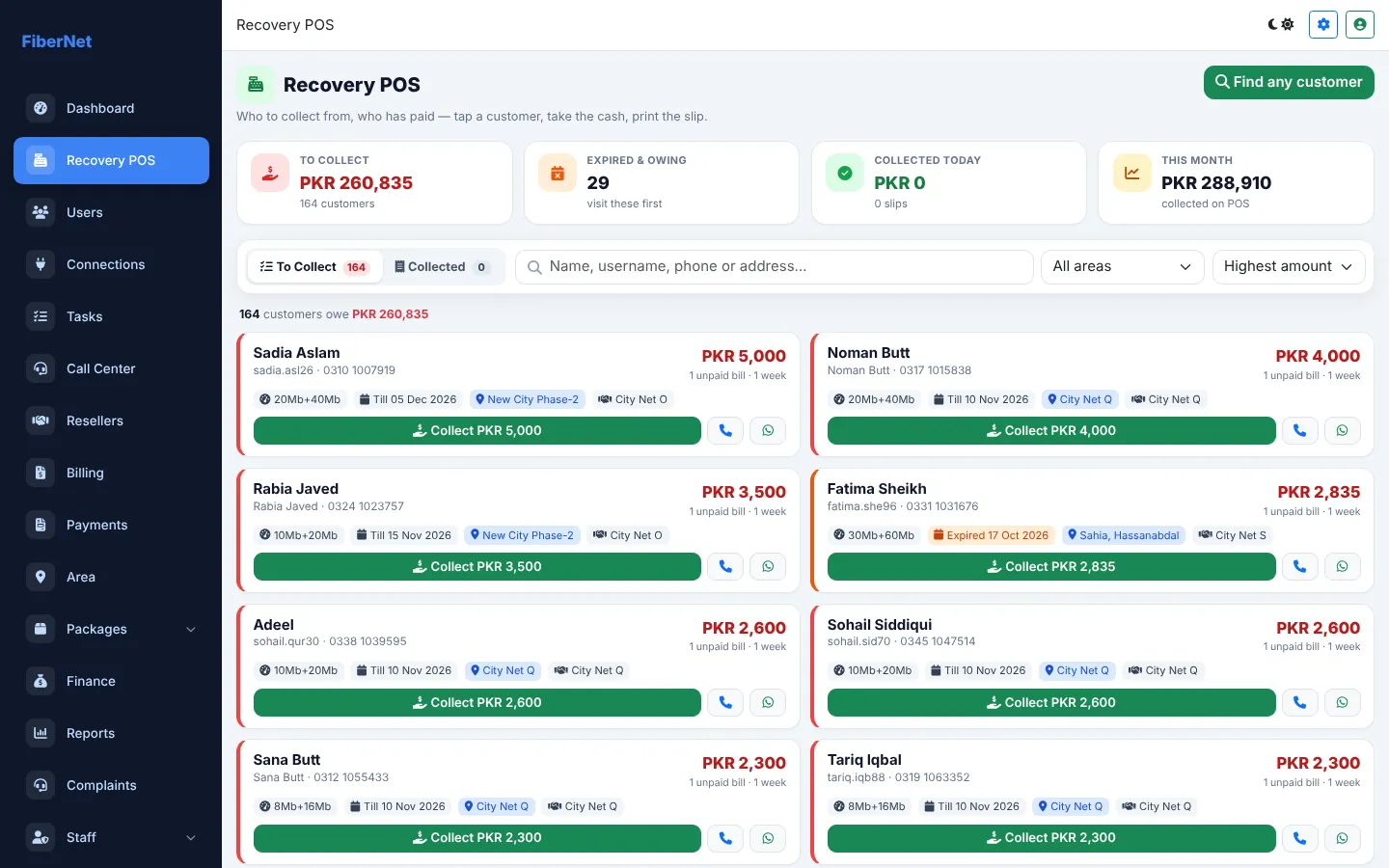
Collect faster with Recovery POS
Who owes how much, sorted by amount — tap a customer, take the cash and print the slip. The cash lands in that collector's cash in hand.
- To collect / expired & owing / collected today
- Call & WhatsApp from the card
- Printed slips and cash-in-hand per staff
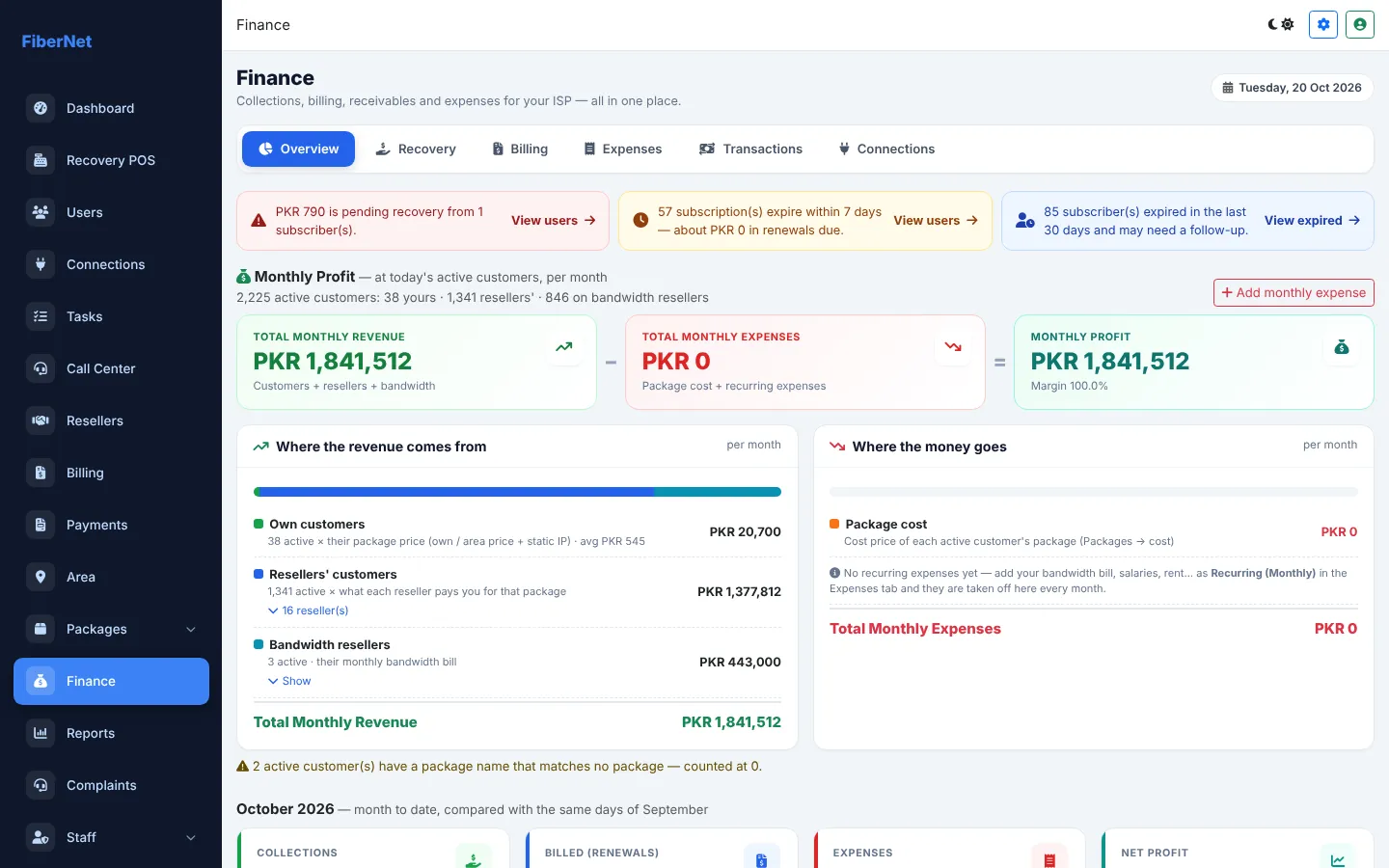
Know your real monthly profit
Revenue from your own customers, resellers and bandwidth resellers against package costs and expenses.
- Monthly revenue, expenses and margin
- Recovery, billing and transactions tabs
- Alerts for pending recovery and expiries
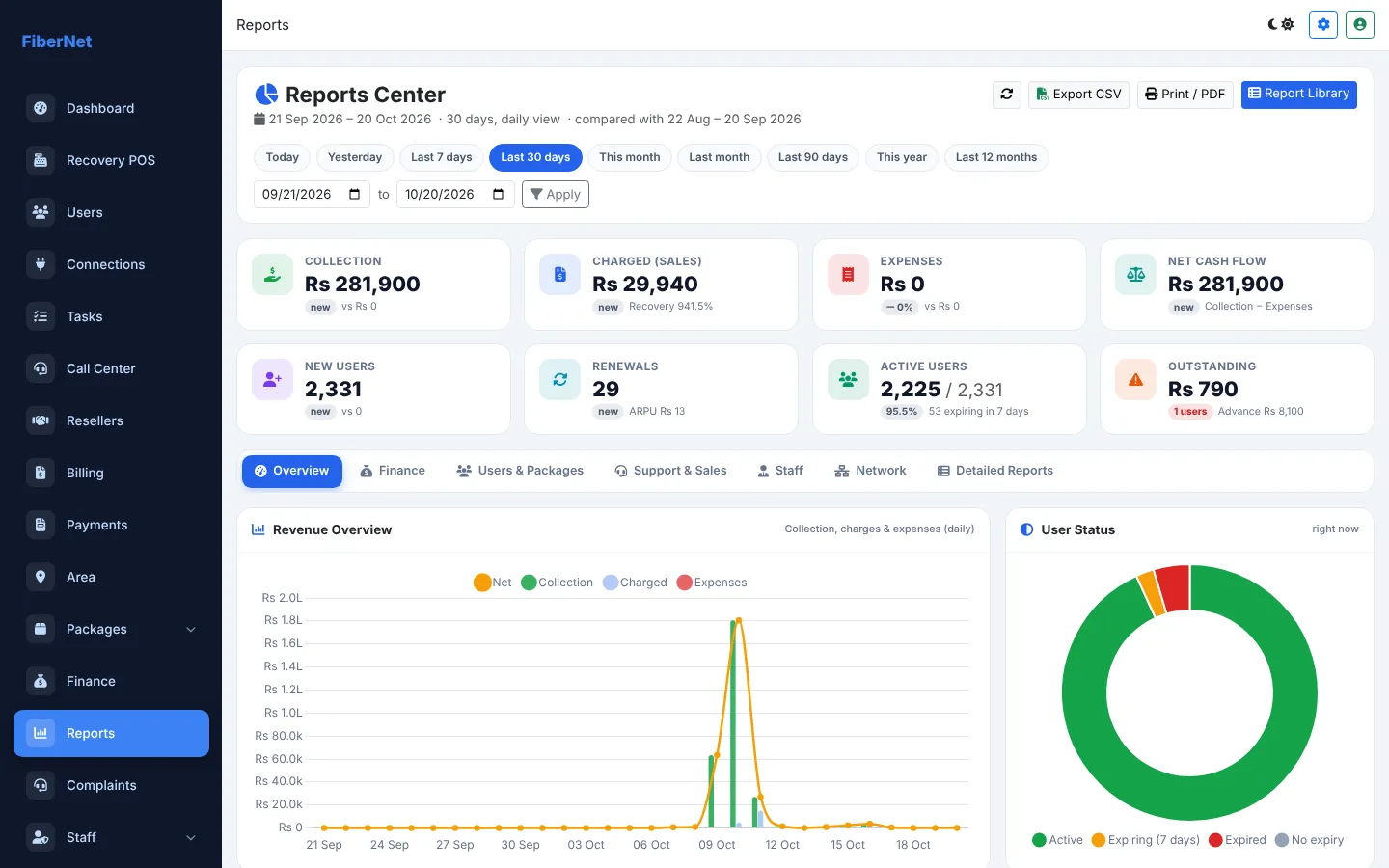
Reports you can actually use
Collection, sales, renewals, new and active users — any period, compared with the period before, with CSV and print.
- Revenue overview chart
- User status breakdown
- Finance, staff, network & detailed reports
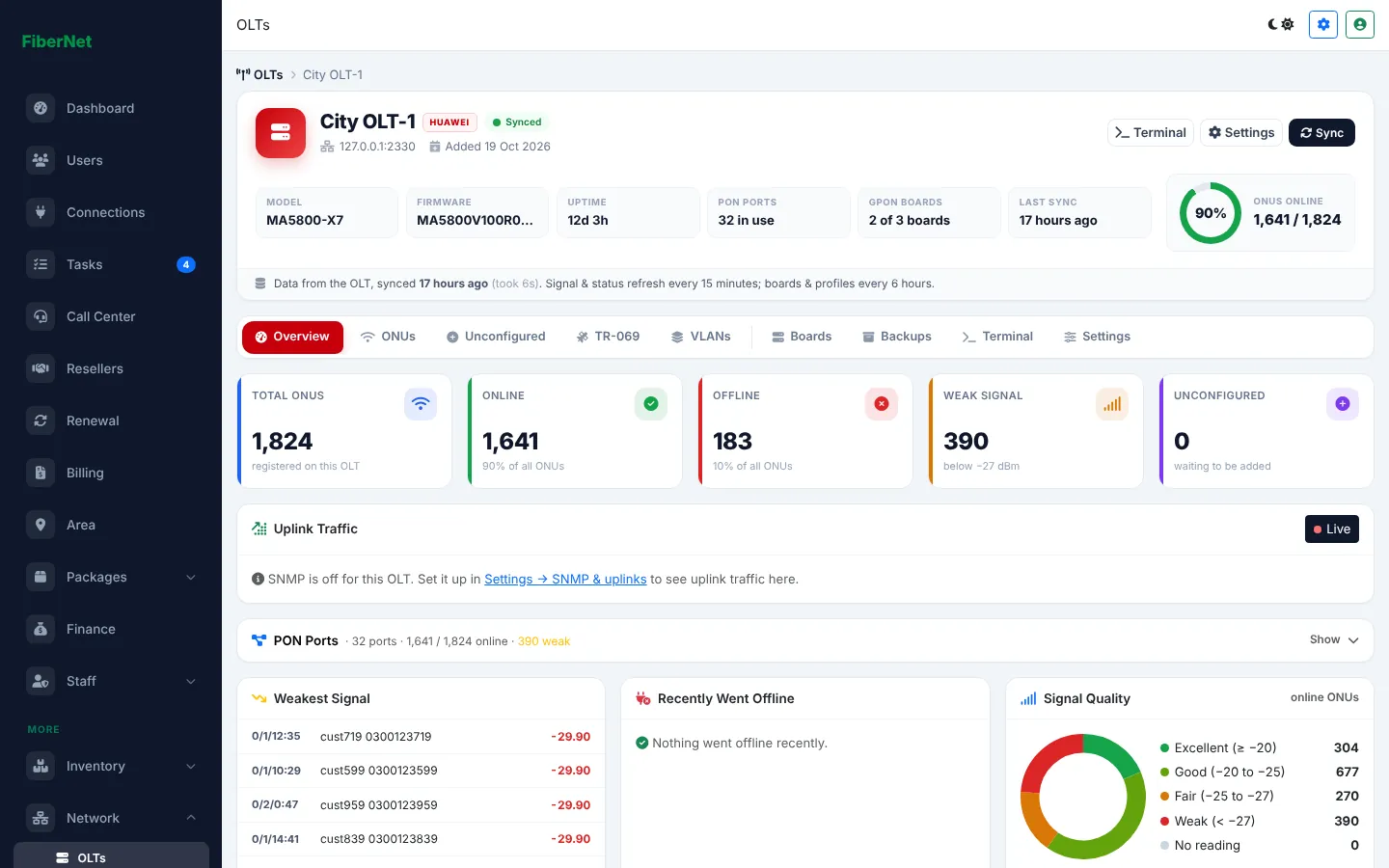
Your fiber network, live
Huawei OLT with every ONU — online / offline, weak signal, PON ports and the weakest customers — synced on its own.
- Signal quality chart & weakest ONUs
- Unconfigured ONUs, VLANs, boards & backups
- TR-069 / GenieACS for Wi-Fi changes
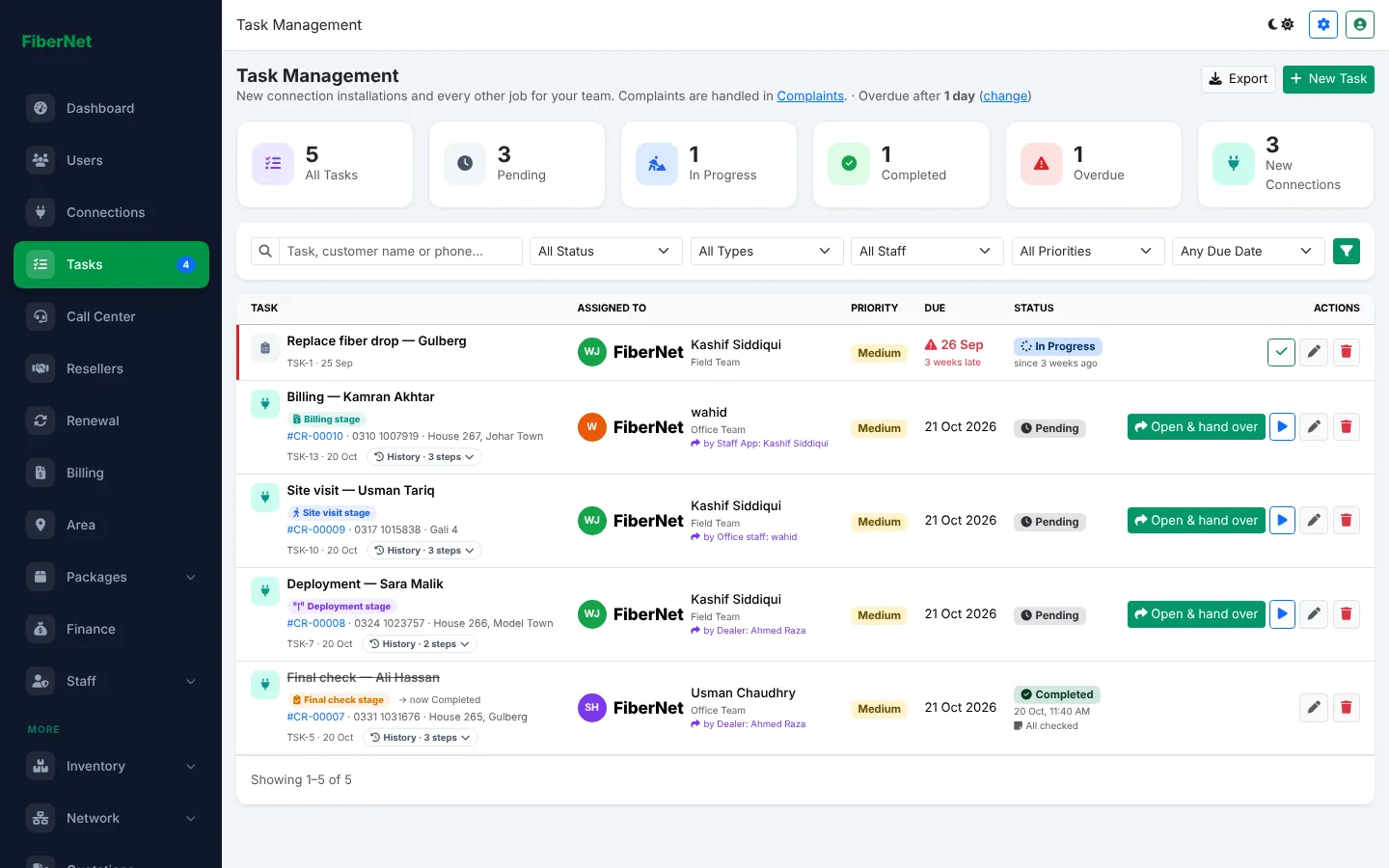
Every job with its owner and history
One row per connection or job: who has it now, who assigned it, and the full stage history on click.
- Staff see only their own tasks
- "Open & hand over" to the next stage
- Overdue jobs highlighted